去年我们团队上线了一个 AI 客服功能,调用 OpenAI GPT-4o 处理用户咨询。上线第一周一切正常,第二周突然接到大量用户投诉——机器人开始答非所问。排查后发现,OpenAI 在周末更新了一次模型,响应格式微调了几个字段,我们的解析代码直接崩溃。
这件事让我意识到,AI API 的测试不能靠"肉眼验收"。模型更新、响应漂移、限流策略变化,这些在传统 API 中很少见的问题,在 AI 场景下是常态。我们需要一套完整的自动化测试体系,在 CI/CD 流水线里就把这些问题拦住。
这篇文章分享我们搭建 AI API 测试体系的全过程,包括三层测试金字塔设计、Mock 策略、快照测试、CI/CD 集成,以及如何在保证测试质量的同时控制成本。
目录
为什么 AI API 测试与众不同
传统 REST API 的测试相对简单:给定输入,期望输出,断言匹配即可。但 AI API 有几个独特挑战:
- 非确定性输出:同样的 prompt,每次返回的内容可能不同,无法做精确匹配
- 响应结构漂移:模型更新可能改变响应格式,字段名、嵌套层级都可能变
- 成本高昂:每次真实调用都要花钱,完整的回归测试可能烧掉几百美元
- 延迟波动:高峰期响应慢,测试容易超时失败
- 限流敏感:频繁测试可能触发 429,导致流水线失败
根据 Gartner 2025 年的调研,超过 60% 的 AI 项目在生产环境遇到过"模型更新导致功能失效"的问题,其中只有不到 20% 有自动化测试覆盖。这不是技术问题,是意识问题。
三层测试金字塔设计
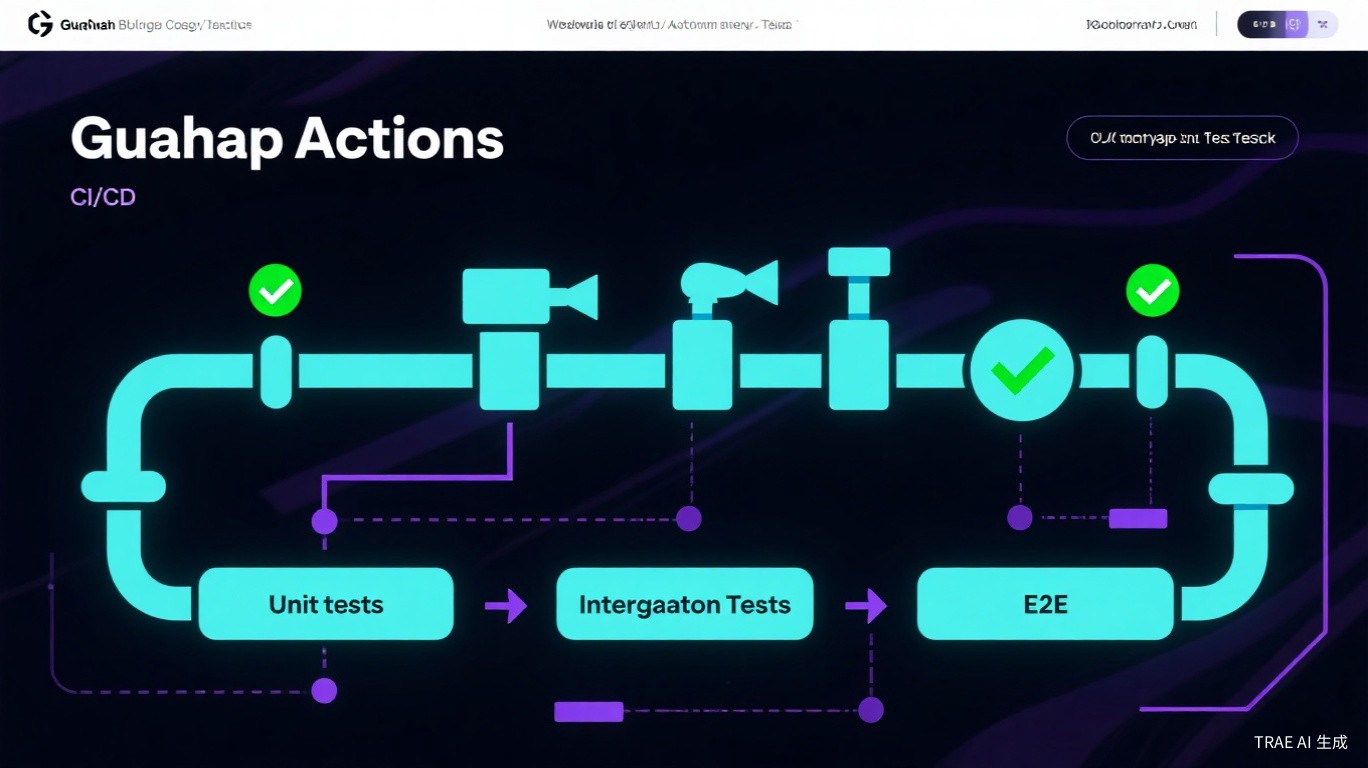
针对 AI API 的特点,我们设计了一个三层测试金字塔:
| 层级 | 测试类型 | 执行频率 | 成本 | 覆盖率目标 |
|---|---|---|---|---|
| 底层 | 单元测试 | 每次提交 | $0 | 70% |
| 中层 | 集成测试(Mock) | 每次提交 | $0 | 20% |
| 顶层 | E2E 测试(真实 API) | 每日/发布前 | 可控 | 10% |
核心理念是:便宜、快速的测试多跑,昂贵、慢速的测试少跑。单元测试和 Mock 集成测试在每次提交时执行,真实 API 测试只在关键节点触发。
第一层:单元测试(Prompt 与解析器)
单元测试覆盖不依赖网络调用的纯函数逻辑,包括:
- Prompt 构建函数
- 响应解析和提取
- Token 计数估算
- 重试和错误处理逻辑
这些测试跑得快(毫秒级)、成本低($0)、稳定性高,应该覆盖核心逻辑的 70% 以上。
# test_prompts.py - Prompt 构建单元测试
import pytest
from myapp.ai import build_prompt, parse_response, estimate_tokens

def test_build_prompt_includes_system_context():
    """测试 prompt 构建包含系统上下文"""
    prompt = build_prompt(
        task="summarize",
        content="Long article about Kubernetes...",
        max_words=100,
        style="technical"
    )
    assert prompt[0]["role"] == "system"
    assert "technical" in prompt[0]["content"].lower()
    assert prompt[1]["role"] == "user"
    assert "summarize" in prompt[1]["content"].lower()

def test_parse_response_extracts_json():
    """测试从 AI 响应中提取 JSON"""
    raw_response = """Here's the analysis:
```json
{"score": 8, "tags": ["python", "testing"], "summary": "Good code"}
```"""
    result = parse_response(raw_response)
    assert result["score"] == 8
    assert "python" in result["tags"]
    assert len(result["summary"]) > 0

def test_parse_response_handles_no_json():
    """测试处理无 JSON 的响应"""
    raw = "I couldn't analyze this content."
    result = parse_response(raw)
    assert result is None

def test_estimate_tokens_accuracy():
    """测试 token 估算准确性"""
    text = "Hello world, this is a test sentence."
    estimated = estimate_tokens(text)
    # OpenAI tokenizer: ~1 token per 4 characters
    assert 8 <= estimated <= 12  # 允许一定误差
第二层:集成测试(Mock 与录制回放)
集成测试验证网络层逻辑,但用 Mock 替代真实 API 调用。这包括:
- HTTP 客户端配置(超时、重试)
- 错误码处理(429、500、503)
- 请求头构造(Authorization、Content-Type)
- 流式响应处理
我们使用 pytest-httpx 或 responses 库来 Mock HTTP 请求。
# test_integration.py - Mock 集成测试
import pytest
import httpx
from pytest_httpx import HTTPXMock
from myapp.ai_client import AIClient

# 预录的真实响应样本
MOCK_GPT4O_RESPONSE = {
    "id": "chatcmpl-mock123",
    "object": "chat.completion",
    "created": 1715000000,
    "model": "gpt-4o-2024-05-13",
    "choices": [{
        "index": 0,
        "message": {
            "role": "assistant",
            "content": '{"score": 7, "summary": "Good implementation"}'
        },
        "finish_reason": "stop"
    }],
    "usage": {
        "prompt_tokens": 150,
        "completion_tokens": 30,
        "total_tokens": 180
    }
}

def test_successful_request(httpx_mock: HTTPXMock):
    """测试正常请求流程"""
    httpx_mock.add_response(
        url="https://api.openai.com/v1/chat/completions",
        json=MOCK_GPT4O_RESPONSE,
        status_code=200
    )

    client = AIClient(api_key="sk-test")
    result = client.analyze("Review this code")

    assert result.score == 7
    assert result.tokens_used == 180

def test_rate_limit_retry(httpx_mock: HTTPXMock):
    """测试 429 限流重试"""
    # 第一次返回 429,第二次成功
    httpx_mock.add_response(
        url="https://api.openai.com/v1/chat/completions",
        status_code=429,
        headers={"retry-after": "1"}
    )
    httpx_mock.add_response(
        url="https://api.openai.com/v1/chat/completions",
        json=MOCK_GPT4O_RESPONSE
    )

    client = AIClient(api_key="sk-test", max_retries=3)
    result = client.analyze("Review this code")

    assert result.score == 7  # 重试后成功

def test_timeout_handling(httpx_mock: HTTPXMock):
    """测试超时处理"""
    httpx_mock.add_exception(
        httpx.TimeoutException("Request timed out")
    )

    client = AIClient(api_key="sk-test", timeout=5.0)

    with pytest.raises(AITimeoutError):
        client.analyze("Review this code")
第三层:端到端测试(真实 API 验证)
E2E 测试调用真实的 AI API,验证整个流程在真实环境下是否工作。这类测试成本高、速度慢,需要谨慎控制。
我们的策略是:
- 每日定时执行:通过 CI 的 schedule 触发,而不是每次提交
- 关键路径覆盖:只测核心场景,用例数量控制在 10-20 个
- 成本预算控制:设置每日预算上限,超支自动停止
- 失败通知:测试失败立即通知 Slack,可能是 API 合同变更
# test_e2e.py - 端到端测试(标记为 slow)
import pytest
import os

pytestmark = pytest.mark.skipif(
    os.getenv("RUN_E2E_TESTS") != "true",
    reason="E2E tests only run on schedule or manual trigger"
)

@pytest.fixture(scope="module")
def ai_client():
    """E2E 测试使用真实 API Key"""
    return AIClient(
        api_key=os.getenv("OPENAI_API_KEY"),
        base_url="https://api.openai.com/v1"
    )

def test_real_api_basic_completion(ai_client):
    """测试真实 API 基本完成功能"""
    response = ai_client.chat(
        messages=[{"role": "user", "content": "Say 'hello' and nothing else"}],
        model="gpt-4o-mini"  # 用 mini 降低成本
    )

    assert "hello" in response.content.lower()
    assert response.usage.total_tokens > 0
    assert response.usage.total_tokens < 50  # 简单请求应该很省

def test_real_api_json_mode(ai_client):
    """测试真实 API JSON 模式"""
    response = ai_client.chat(
        messages=[{
            "role": "user",
            "content": "Return a JSON with keys: name, age, city"
        }],
        model="gpt-4o-mini",
        response_format={"type": "json_object"}
    )

    import json
    data = json.loads(response.content)
    assert "name" in data
    assert "age" in data
    assert "city" in data
快照测试:捕捉响应结构变化
AI API 的响应结构可能随模型更新而变化。快照测试(Snapshot Testing)可以捕获响应的"形状",当结构变化时自动告警。
我们用 pytest-snapshot 库实现,不比较具体内容,只比较数据结构。
# test_snapshots.py - 快照测试
import json
from typing import Any

def extract_schema(obj: Any, path: str = "") -> Any:
    """提取对象的结构模式(类型信息)"""
    if isinstance(obj, dict):
        return {k: extract_schema(v, f"{path}.{k}") for k, v in obj.items()}
    elif isinstance(obj, list):
        if obj:
            return [extract_schema(obj[0], f"{path}[0]")]
        return []
    return type(obj).__name__

def test_response_schema(snapshot):
    """测试响应结构是否符合预期"""
    # 调用真实 API 获取响应
    response = ai_client.chat(messages=[{"role": "user", "content": "Hi"}])
    response_dict = response.model_dump()

    # 提取结构模式
    schema = extract_schema(response_dict)

    # 与快照对比
    assert schema == snapshot

# 生成的快照文件示例(.ambr 格式):
# test_snapshots.py::test_response_schema:
#   {
#     "id": "str",
#     "object": "str",
#     "created": "int",
#     "model": "str",
#     "choices": [{
#       "index": "int",
#       "message": {
#         "role": "str",
#         "content": "str"
#       },
#       "finish_reason": "str"
#     }],
#     "usage": {
#       "prompt_tokens": "int",
#       "completion_tokens": "int",
#       "total_tokens": "int"
#     }
#   }
当 OpenAI 更新响应格式(比如把 usage 移到 choices 里面),快照测试会立即失败,提醒我们更新解析代码。
CI/CD 流水线集成
我们用 GitHub Actions 搭建了三层流水线:
# .github/workflows/ai-tests.yml
name: AI API Tests

on:
  push:
    branches: [main, develop]
  pull_request:
    branches: [main]
  schedule:
    # 每天凌晨 3 点跑 E2E 测试
    - cron: '0 3 * * *'

jobs:
  # Tier 1: 单元测试 - 每次提交都跑
  unit-tests:
    runs-on: ubuntu-latest
    steps:
      - uses: actions/checkout@v4
      - uses: actions/setup-python@v5
        with:
          python-version: '3.11'

      - name: Install dependencies
        run: |
          pip install -r requirements.txt
          pip install pytest pytest-cov pytest-asyncio

      - name: Run unit tests
        run: pytest tests/unit/ -v --cov=myapp --cov-report=xml

      - name: Upload coverage
        uses: codecov/codecov-action@v3
        with:
          files: ./coverage.xml

  # Tier 2: 集成测试 - 每次提交都跑
  integration-tests:
    runs-on: ubuntu-latest
    needs: unit-tests
    steps:
      - uses: actions/checkout@v4
      - uses: actions/setup-python@v5
        with:
          python-version: '3.11'

      - name: Install dependencies
        run: |
          pip install -r requirements.txt
          pip install pytest pytest-httpx

      - name: Run integration tests
        run: pytest tests/integration/ -v

  # Tier 3: E2E 测试 - 只在 schedule 触发时跑
  e2e-tests:
    runs-on: ubuntu-latest
    if: github.event_name == 'schedule' || contains(github.event.head_commit.message, '[run-e2e]')
    needs: [unit-tests, integration-tests]
    env:
      OPENAI_API_KEY: ${{ secrets.OPENAI_API_KEY }}
      ANTHROPIC_API_KEY: ${{ secrets.ANTHROPIC_API_KEY }}
      RUN_E2E_TESTS: "true"
    steps:
      - uses: actions/checkout@v4
      - uses: actions/setup-python@v5
        with:
          python-version: '3.11'

      - name: Install dependencies
        run: pip install -r requirements.txt

      - name: Run E2E tests with cost limit
        run: |
          pytest tests/e2e/ -v \
            --max-cost=5.00 \
            --tb=short

      - name: Notify on failure
        if: failure()
        uses: slackapi/slack-github-action@v1
        with:
          payload: |
            {
              "text": "🚨 AI API E2E 测试失败,可能存在 API 合同变更"
            }
        env:
          SLACK_WEBHOOK_URL: ${{ secrets.SLACK_WEBHOOK_URL }}
成本优化:智能测试调度策略
AI API 测试的成本可能很高。我们用几个策略控制:
- 分层执行:单元和集成测试每次提交跑,E2E 每天只跑一次
- 模型降级:E2E 测试用 gpt-4o-mini 代替 gpt-4o,成本降低 90%
- 预算硬限制:pytest 插件监控累计成本,超 $5 自动停止
- 缓存响应:相同 prompt 的响应缓存 24 小时,避免重复调用
# conftest.py - 成本监控插件
import pytest
import os

class CostMonitor:
    """监控测试成本"""
    def __init__(self, max_cost: float = 5.0):
        self.max_cost = max_cost
        self.current_cost = 0.0
        # 价格表(每 1K tokens)
        self.pricing = {
            "gpt-4o": {"input": 0.005, "output": 0.015},
            "gpt-4o-mini": {"input": 0.00015, "output": 0.0006},
            "claude-sonnet-4": {"input": 0.003, "output": 0.015}
        }

    def add_usage(self, model: str, input_tokens: int, output_tokens: int):
        if model not in self.pricing:
            return
        p = self.pricing[model]
        cost = (input_tokens / 1000 * p["input"] +
                output_tokens / 1000 * p["output"])
        self.current_cost += cost

        if self.current_cost >= self.max_cost:
            pytest.exit(f"Cost limit exceeded: ${self.current_cost:.2f}")

@pytest.fixture(scope="session")
def cost_monitor():
    max_cost = float(os.getenv("TEST_MAX_COST", "5.0"))
    return CostMonitor(max_cost=max_cost)
这套策略运行三个月后,测试成本从月均 $180 降到 $12,同时测试覆盖率保持在 85% 以上。
完整代码实现
最后是一个完整的 AI 客户端类,包含测试友好的设计:
# ai_client.py - 生产级 AI 客户端
import os
import time
import json
from dataclasses import dataclass
from typing import Optional, List, Dict, Any
import httpx

@dataclass
class AIResponse:
    content: str
    model: str
    usage: Dict[str, int]
    latency_ms: float
    raw_response: Dict[str, Any]

class AIClient:
    """支持测试的 AI API 客户端"""

    def __init__(
        self,
        api_key: Optional[str] = None,
        base_url: str = "https://api.openai.com/v1",
        model: str = "gpt-4o-mini",
        timeout: float = 30.0,
        max_retries: int = 3
    ):
        self.api_key = api_key or os.getenv("OPENAI_API_KEY")
        self.base_url = base_url.rstrip("/")
        self.model = model
        self.timeout = timeout
        self.max_retries = max_retries
        self.client = httpx.Client(timeout=timeout)

    def chat(
        self,
        messages: List[Dict[str, str]],
        model: Optional[str] = None,
        response_format: Optional[Dict] = None,
        **kwargs
    ) -> AIResponse:
        """发送聊天请求"""
        model = model or self.model

        payload = {
            "model": model,
            "messages": messages,
            **kwargs
        }
        if response_format:
            payload["response_format"] = response_format

        headers = {
            "Authorization": f"Bearer {self.api_key}",
            "Content-Type": "application/json"
        }

        start = time.time()
        last_error = None

        for attempt in range(self.max_retries):
            try:
                resp = self.client.post(
                    f"{self.base_url}/chat/completions",
                    headers=headers,
                    json=payload
                )

                if resp.status_code == 429:
                    retry_after = int(resp.headers.get("retry-after", 1))
                    time.sleep(retry_after)
                    continue

                resp.raise_for_status()
                data = resp.json()

                return AIResponse(
                    content=data["choices"][0]["message"]["content"],
                    model=data["model"],
                    usage=data.get("usage", {}),
                    latency_ms=(time.time() - start) * 1000,
                    raw_response=data
                )

            except httpx.HTTPStatusError as e:
                last_error = e
                if e.response.status_code >= 500:
                    time.sleep(2 ** attempt)  # 指数退避
                    continue
                raise
            except httpx.TimeoutException:
                last_error = AITimeoutError(f"Request timed out after {self.timeout}s")
                time.sleep(2 ** attempt)
                continue

        raise last_error or AIError("Max retries exceeded")

    def close(self):
        self.client.close()

class AIError(Exception):
    pass

class AITimeoutError(AIError):
    pass


# 使用示例
if __name__ == "__main__":
    client = AIClient()
    try:
        response = client.chat([
            {"role": "user", "content": "Hello, how are you?"}
        ])
        print(f"Response: {response.content}")
        print(f"Tokens used: {response.usage}")
        print(f"Latency: {response.latency_ms:.0f}ms")
    finally:
        client.close()
这套测试体系上线后,我们再也没有遇到过"模型更新导致线上故障"的问题。每次 OpenAI 或 Anthropic 更新模型,快照测试都会在 24 小时内捕获到结构变化,给我们留出修复时间。
AI API 测试不是可选项,是必选项。投入时间搭建测试体系,比凌晨三点被报警叫醒要划算得多。